
Competitor tracking
Keep the lots you compete with in view.
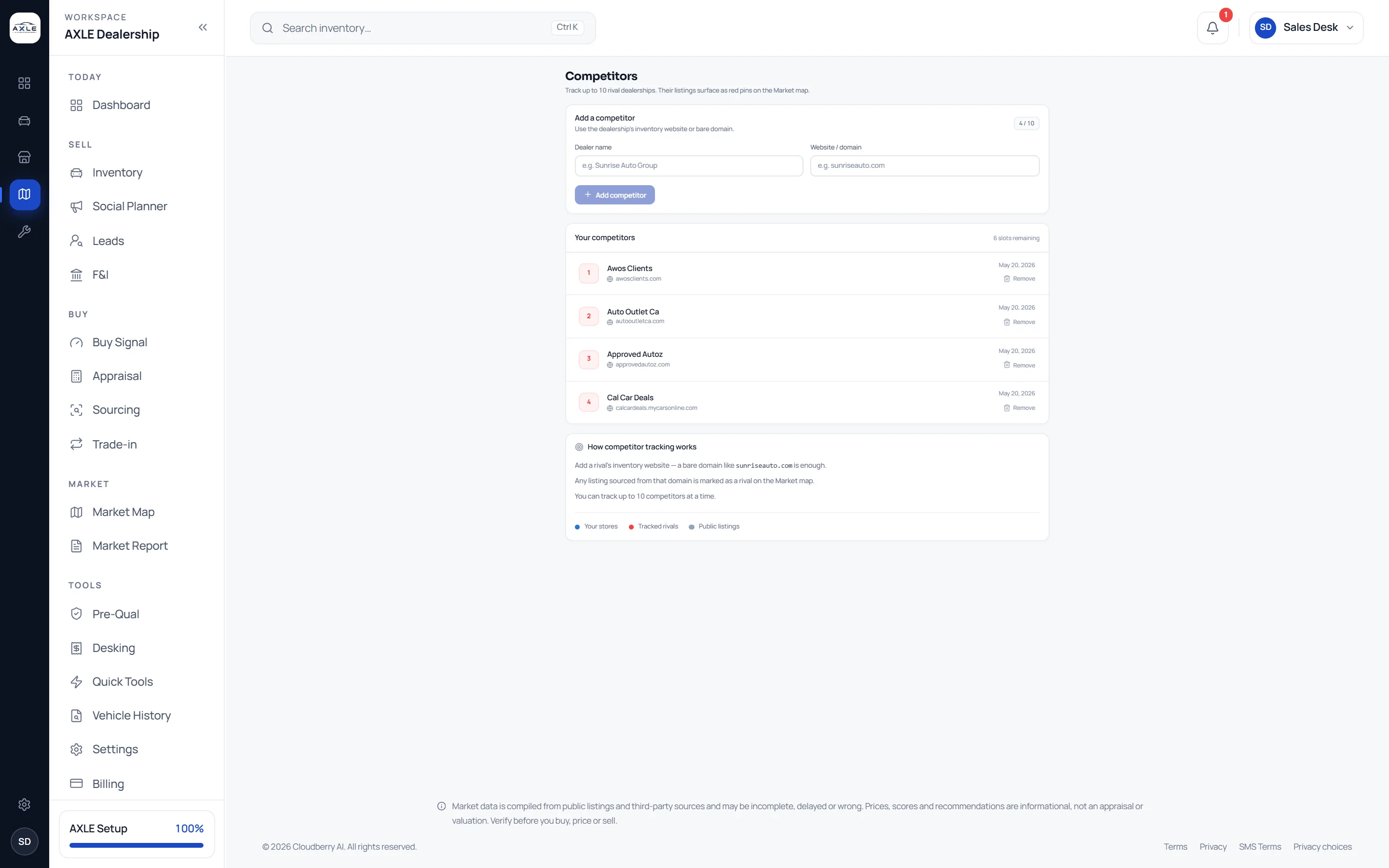
Add each competitor by name and website. AXLE matches their listings by website domain, highlights their rooftops on the Market Map and in every list, so their new stock and price changes are easy to spot among everyone else’s.
Your real competitors are a handful of lots.
Of the hundreds of rooftops in a market, a few compete with you directly: same segments, same price points, same buyers. Watching them usually means bookmarking their websites and checking them when you remember.
Competitor tracking makes those few lots stand out wherever AXLE shows the market, while still showing everyone else, so you see your rivals in context rather than in isolation.
Competitor tracking: what it gives your team.
Add by website
Enter the dealership’s name and its inventory website or bare domain; AXLE does the matching.
Highlighted on the map
Tracked rooftops are outlined on the Market Map, among every other lot.
In every list
Their listings are marked in the market list, so you can filter to them.
Their stock and prices
See how many cars each tracked rival holds and what they ask.
Managed in one place
Add or remove competitors from one list in Settings or the Competitors page.
Shared across the team
The list follows your account, so everyone sees the same rivals highlighted.
From question to next step.
- 01
Add competitors
Name and website for each dealership you compete with.
- 02
See them on the map
Open the Market Map; tracked lots are outlined.
- 03
Compare stock and price
Filter the list to a rival and compare their cars with yours.
- 04
React with evidence
Open your own car in Comps before responding to a rival’s price.
Built for the people who run the lot.
Owners
Watch the few lots that set prices in your segments.
Pricing managers
See a rival’s cut on a car you also stock as it happens.
Buyers
Know which rivals are stocking the segments you are buying.
Competitor tracking: common questions.
Market data is compiled from public listings and third-party sources and may be incomplete, delayed or wrong. Prices, scores and recommendations are informational, not an appraisal or valuation. Verify before you buy, price or sell.
How do I add a competitor?
Enter their dealership name and inventory website or domain. AXLE matches their listings by that domain.
What if a competitor is not matched?
Their website may not be in the listing feed. The list shows which competitors have been matched.
Can I see competitors’ sale prices?
No. AXLE shows observed asking prices from public listings.
Do tracked competitors hide everyone else?
No. Every lot in the radius is still shown; tracked ones are highlighted.
Works with
Solutions that use it
Your next step