
Inventory management
Every car on the lot, one row each.
AXLE keeps the stock list, the market position, the costs and the merchandising of each vehicle together. One row tells you what a car is asking, how that compares, how long it has been on the lot and what it is costing you to keep it there.
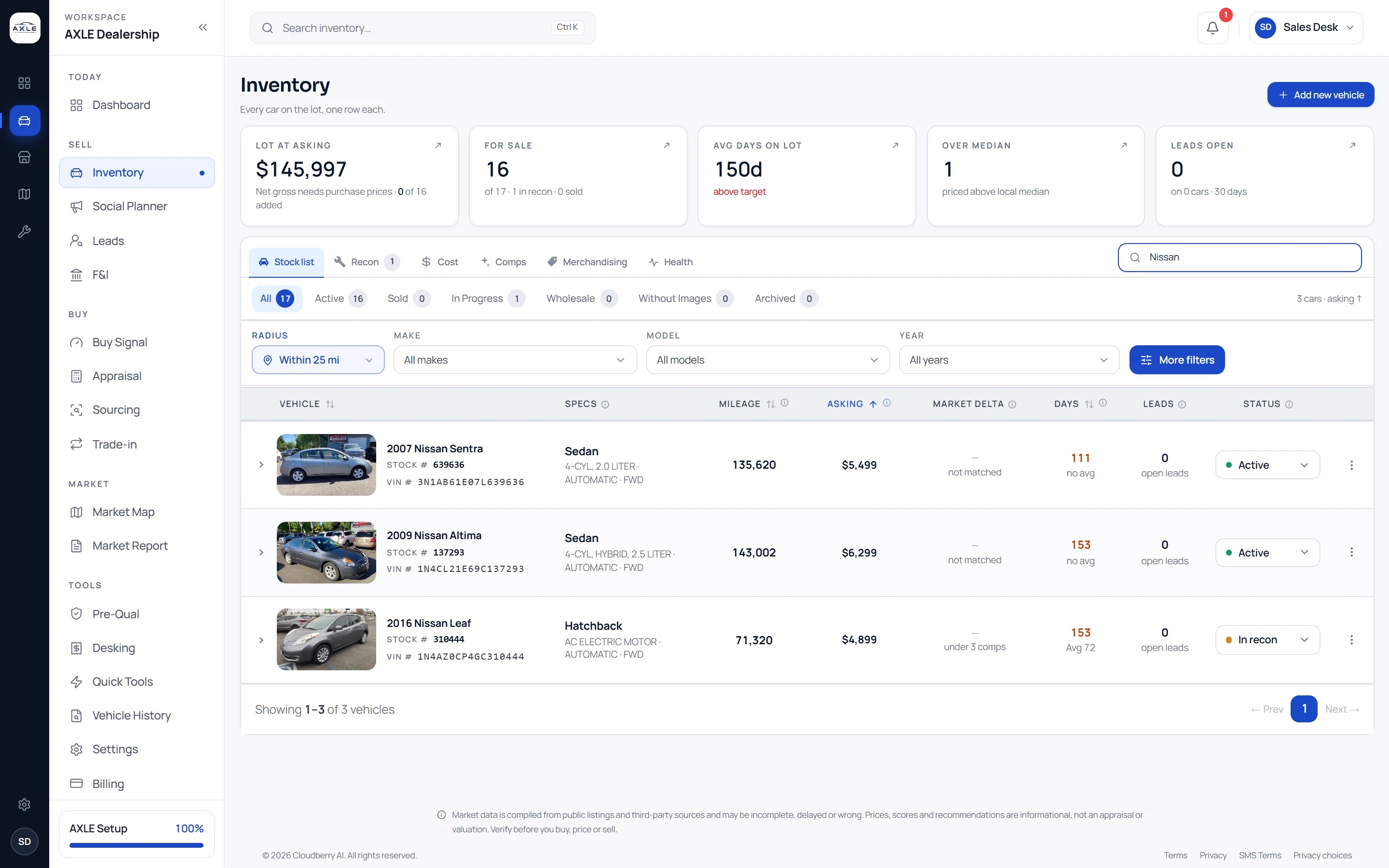
The stock list, the market and the costs live in different places.
In most stores the inventory system knows the price, a spreadsheet knows the reconditioning, the floor-plan statement knows the interest, and nobody knows how the asking compares with the market until someone looks it up. Each review means assembling the picture again, so ageing cars get noticed late.
Inventory management in AXLE puts those facts on the same row. Market delta, days on lot against the model’s average, reconditioning status, holding cost and open leads are visible together, and every car opens into a detail page with its pricing, photos, description and history.
Inventory management: what it gives your team.
Market delta on every row
Each car shows how its asking compares with like-for-like comps nearby and how many comps that is based on.
Days on lot, in context
Days on lot sit beside the average for the same model in your market, so a slow car is easy to tell from a slow segment.
Recon and status
Track cars through Active, In recon, In progress, Wholesale, Sold and Archived, with a recon tab for the work still to do.
Holding cost you can see
Set your carrying cost per day and floor-plan rate once, and every car shows what it has cost to hold, with the projection at 30, 60 and 90 days.
Merchandising readiness
See which cars lack photos or a usable description before they go to market, and fix the listing from the car’s page.
Safeguards on the data
A VIN lookup fills the specification and warns when the car is already in stock, and an unusual price change asks for confirmation before it is saved.
From question to next step.
- 01
Add the car by VIN
Decode the VIN, check the specification, add the price and photos. A duplicate VIN is flagged before it is saved.
- 02
Review the lot
Sort by market delta, days or asking, and filter by status, make, model or year to find the cars that need a decision.
- 03
Open the car
The detail page brings together pricing, market position, photos, description, specification and vehicle history.
- 04
Move to the next step
Reprice in place, open the car in Comps or Desking, or send it to the Social Planner, with the same VIN carried across.
Built for the people who run the lot.
Inventory managers
Run the weekly ageing review from one list instead of three systems.
Owners
See what the lot is worth at asking, how much is above the local median and how much it costs to keep.
Reconditioning leads
Know which cars are waiting on work and how long they have been waiting.
Inventory management: common questions.
Market data is compiled from public listings and third-party sources and may be incomplete, delayed or wrong. Prices, scores and recommendations are informational, not an appraisal or valuation. Verify before you buy, price or sell.
Does AXLE replace my DMS?
No. AXLE is not a dealer management system. It sits beside your DMS for the pricing, market and merchandising work around each car.
How do cars get into AXLE?
Add them by VIN, or start from inventory matched from your public listings and complete it with your own data.
Can I see holding costs per car?
Yes. Enter your carrying cost and floor-plan rate in Settings and each car shows its cost to date and its projection.
What happens to sold cars?
Mark them sold and they leave the active list but stay in your history, so you can still review what you sold and how long it took.
Works with
Your next step