
Listings & merchandising
Ready to list, before it goes to market.
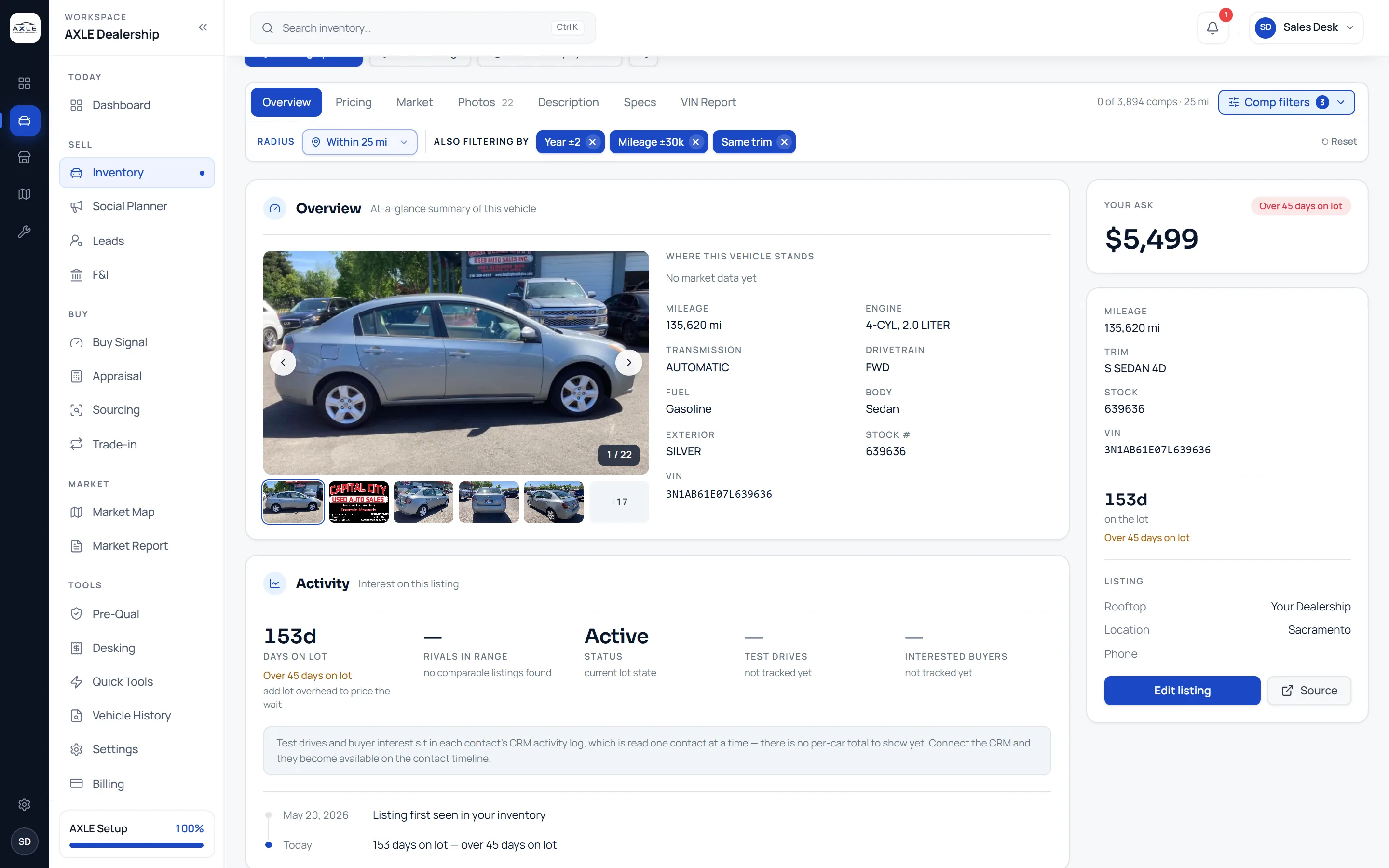
AXLE shows which cars are missing photos, a clean description or a correct specification, and helps you fix them from the car’s page. When a car is ready, the Social Planner drafts a post from its real details and publishes it to your own pages.
A good price on a poor listing still sits on the lot.
Buyers decide from the listing. A car with three photos, a description pasted from a website widget, or a missing trim loses to the same car down the road, whatever the price. In most stores nobody owns that check, so it happens late or not at all.
AXLE makes listing readiness part of the inventory review. Cars without images are counted, descriptions are cleaned of scraped code, and each car’s page shows its photos, description and specification together. The Social Planner then turns a ready car into a post for your own pages.
Listings & merchandising: what it gives your team.
Readiness at a glance
Filter the stock list to cars without images and see photo counts per car, so nothing goes to market half-dressed.
Clean descriptions
Imported descriptions are cleaned of scraped widget code before they reach the editor, and you write or edit the final copy.
Specification from the VIN
Body, engine, transmission, drivetrain and factory colour come from the VIN decode, so the listing describes the actual car.
Posts drafted from the car
The Social Planner drafts captions from the car’s real details in your brand voice, with your standing hashtags, call to action and disclaimer.
Your own photos, untouched
Posts use your photographs. AXLE can animate one of them into a short video, but it never generates a picture of a car.
Published to your pages
Posts go to your own Facebook, Instagram, LinkedIn, YouTube and Pinterest accounts through your CRM, one channel at a time, with each result recorded.
From question to next step.
- 01
Find the gaps
Use the merchandising view to find cars missing photos or a description.
- 02
Fix the listing
Edit the description, check the specification and add photos from the car’s page.
- 03
Draft the post
Pick the car in the Social Planner; the caption is drafted from its details for you to review.
- 04
Publish and track
Choose the channels and publish. Each channel’s result is shown separately, so a failure on one does not hide the others.
Built for the people who run the lot.
Marketing leads
Keep every car’s listing complete and its social posts consistent with your brand.
Inventory managers
Catch missing photos and descriptions in the same review as pricing.
Owners
Post the cars you want to move without hiring an agency to write the copy.
Listings & merchandising: common questions.
Drafted by AI. Review every claim, price and photo before publishing. You are responsible for the accuracy of what you post and for any disclosures your state requires in vehicle advertising, including price, mileage and "as is" status.
Does AXLE create photos of my cars?
No. Posts use your own photographs. AXLE can animate one of your photos, but it never generates an image of a vehicle, because that would show a car you do not have.
Which channels can I publish to?
Your own Facebook, Instagram, LinkedIn, YouTube and Pinterest accounts connected through your CRM.
Does AXLE list my cars on Facebook Marketplace?
No. AXLE helps you prepare accurate listings and publish to your own pages. Check Meta’s current dealer rules before planning Marketplace.
Can I control the tone of the copy?
Yes. Set your brand voice, standing hashtags, call to action and disclaimer once and every draft follows them.
Works with
Solutions that use it
Your next step