
Social Planner
Pick a car. Let AI write it. Publish to your pages.
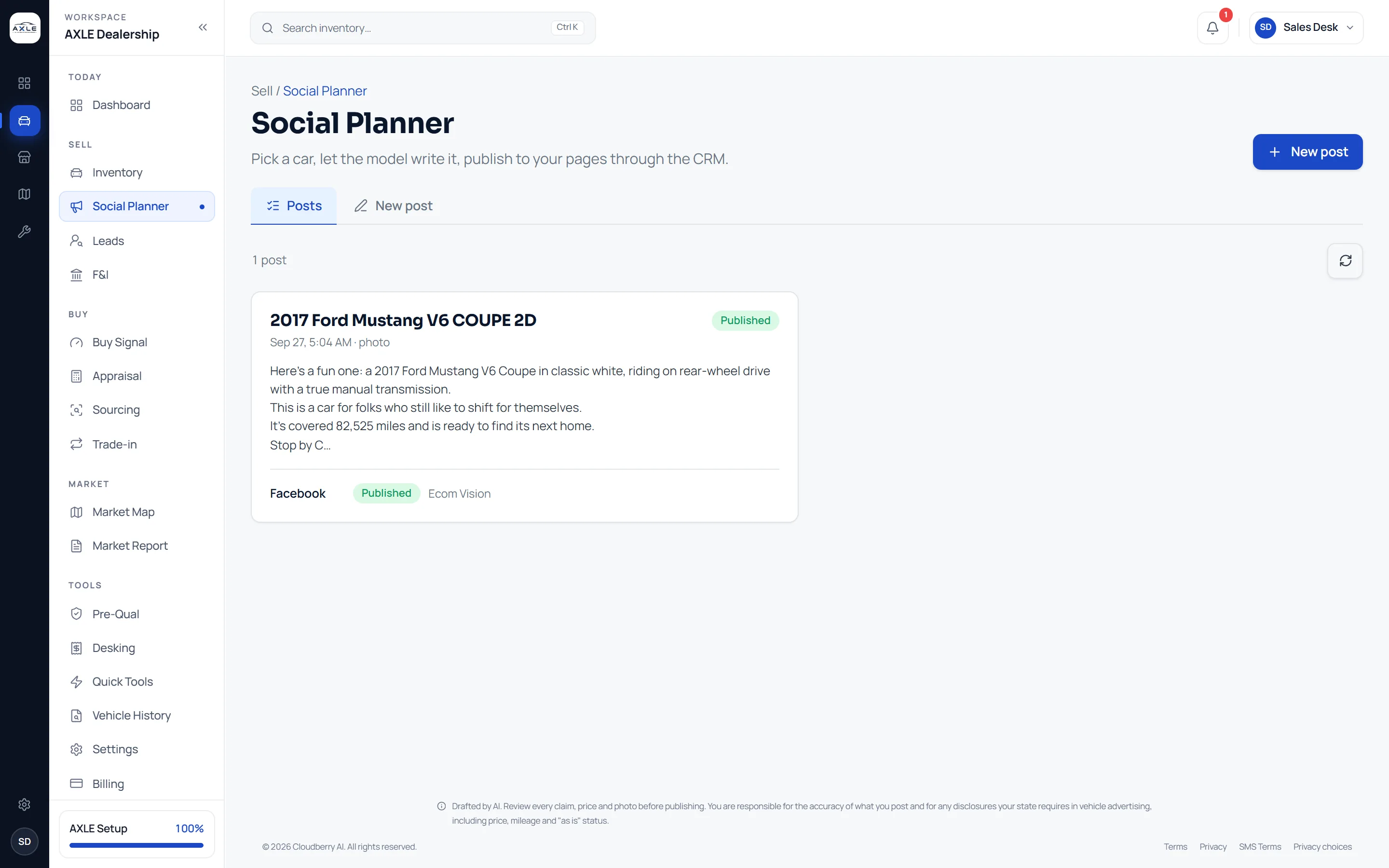
The Social Planner turns a car from your lot into a post. The copy is drafted from the car’s real details in your brand voice, the media is your own photographs or one of them animated, and the post is published to your connected pages one channel at a time.
Posting stock every day is a job nobody has time for.
Social channels reward dealers who post consistently, but writing a fresh caption for every car, choosing photos and posting to five channels is an hour most stores do not have. Posts become irregular, inconsistent and occasionally wrong about the car.
The Social Planner does the drafting. It starts from the car’s actual specification and price, writes in the voice you set, and posts where you choose, so a daily post takes minutes, not an hour.
Social Planner: what it gives your team.
Copy from the car
Captions are drafted from the car’s year, make, model, trim, mileage, price and features.
Your brand voice
Set your tone, standing hashtags, call to action and disclaimer once; every draft follows them.
Your own photos
Posts use your photographs untouched. AXLE never generates an image of a car.
Video from a photo
Animate one of your own photos into a short clip with camera-style motion.
Promo graphics
Generate a promotional graphic for offers and events, without a vehicle in it.
One call per channel
Publish to Facebook, Instagram, LinkedIn, YouTube and Pinterest; each channel’s result is recorded separately.
From question to next step.
- 01
Pick the car
Choose any car on your lot; its details load into the draft.
- 02
Choose the media
Your photos, a short video from one of them, or a promo graphic.
- 03
Review the copy
Edit the AI draft. Every claim, price and photo is yours to check.
- 04
Publish and track
Pick the channels; post history shows each one’s status.
Built for the people who run the lot.
Marketing leads
Post daily without writing every caption from scratch.
Owners
Keep the store’s social pages active without an agency.
Sales staff
Share the cars they are working with a post that is already written.
Social Planner: common questions.
Drafted by AI. Review every claim, price and photo before publishing. You are responsible for the accuracy of what you post and for any disclosures your state requires in vehicle advertising, including price, mileage and "as is" status.
Does AXLE make photos of my cars?
No. It uses your own photographs. It can animate one into a short video, but never generates an image of a vehicle.
Which channels can I post to?
Facebook, Instagram, LinkedIn, YouTube and Pinterest accounts connected through your CRM.
Can I edit the AI copy?
Yes. Every draft is editable, and you should review it before publishing.
What happens if a channel fails?
The other channels still publish; the failed one shows its own status so you can retry it.
Works with
Solutions that use it
Your next step