
Merchandising / Channel readiness
Selling cars on Facebook Marketplace as a dealer
Get the listing right before you pick the channel.
Facebook is where many used-car buyers start looking. Before planning any vehicle channel there, check Meta’s current rules for dealers, and make sure every listing you would send is accurate, complete and priced against the market.
The channel changes; the listing still has to be right
Marketplace rules for dealers have changed more than once, and the options available to a dealership depend on Meta’s current programmes and your account. Planning a workflow around a channel you are not eligible for wastes time, so the first step is always to check the platform’s current dealer requirements.
Whatever the channel, the work that decides results is the same: an accurate description of the actual car, enough good photos, a price that makes sense against the local market and a fast, organised response to every enquiry.
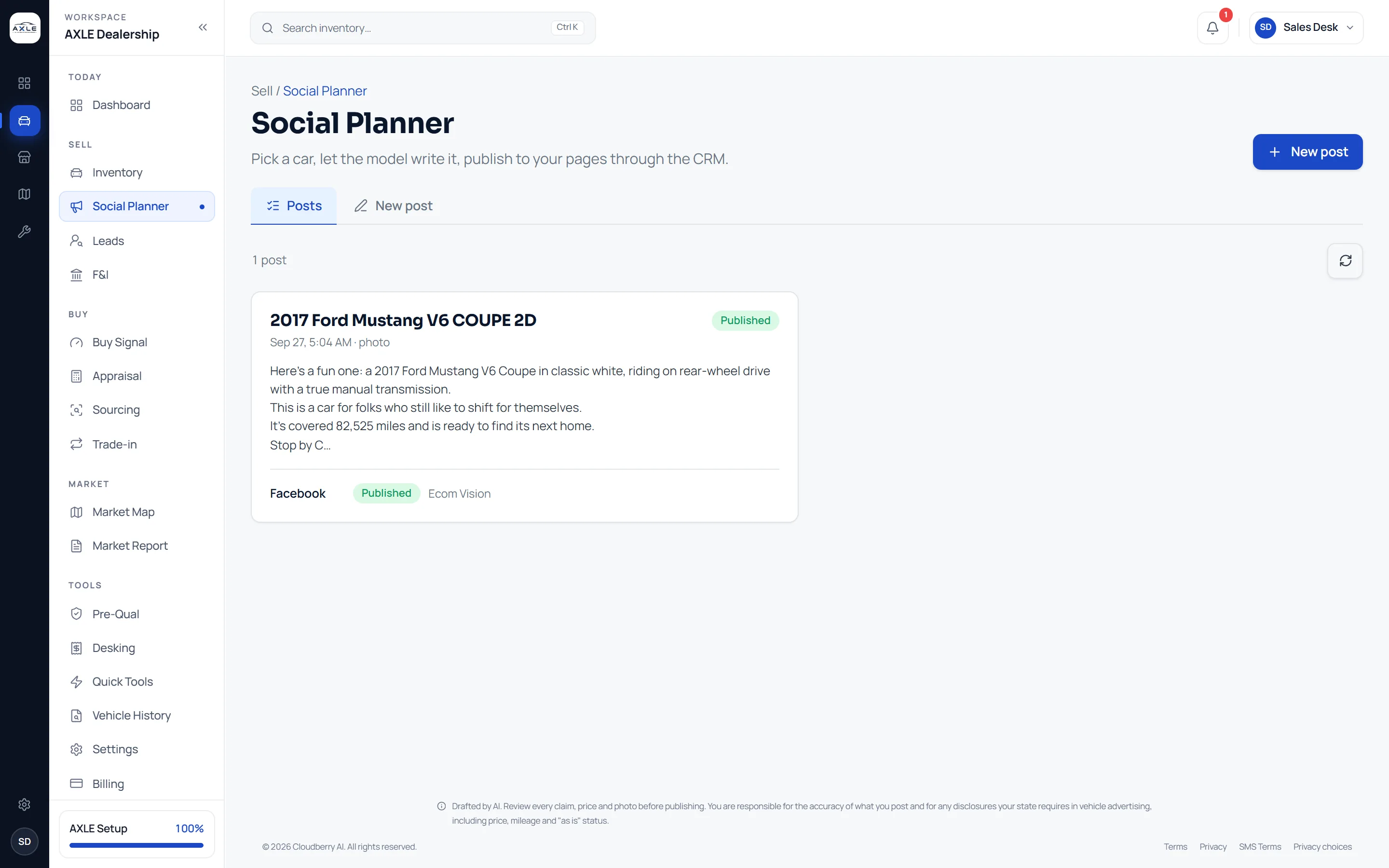
AXLE helps with that preparation. It does not list cars on Facebook Marketplace on your behalf. It helps you get each listing ready, publish posts to your own Facebook Page and other social accounts, and keep the resulting conversations attached to the car.
How AXLE handles it.
- 01
Check eligibility first
Confirm what Meta currently allows dealerships to do on Marketplace for your account and location.
- 02
Make the listing complete
Use AXLE’s merchandising view to find cars missing photos or a usable description, and fix them from the car’s page.
- 03
Price against the market
Check the car’s position against comparable listings before it is advertised anywhere.
- 04
Publish to your own Page
Draft a post from the car’s real details in the Social Planner and publish it to your Facebook Page and other accounts.
What your team gets.
Listings you can stand behind
Every car you advertise is described accurately and photographed honestly.
Consistent posts
Your brand voice, hashtags, call to action and disclaimer appear on every post.
Enquiries with context
Leads arrive in your CRM and appear in AXLE grouped by the car they ask about.
Features this uses
Before you begin.
Related insightFacebook Marketplace: a dealer readiness checklistRead insightCan AXLE post my inventory to Facebook Marketplace?
No. AXLE publishes to your own Facebook Page and other social accounts. It does not create Marketplace listings on your behalf.
Are the post captions written for me?
The Social Planner drafts captions from the car’s details. They are AI-drafted, so review every claim and price before publishing.
Will AXLE generate photos?
No. Posts use your own photographs, never a generated image of a car.
Your next step